Palisades is joining Roost
Our new parent directory. Private by design, and built to carry your family from kindergarten all the way through high school.


Getting in
Most Palisades families are already in Roost
The PTO set Roost up from the school's family list, so sign in with the email address the school has on file, accept the terms, and check that your family and your kids look right. Add anyone who's missing. Most families are done in a couple of minutes.
Not on the school's list?
If Roost doesn't recognize your email, enter it at the same link and you'll be walked through a short request form. A Palisades directory admin will get you set up. You only do it once, and your account carries forward from there.
First, check your own information
Palisades is opening Roost in two steps. For now you'll see only your own family, so you can make sure everything is right and choose what you share before anyone else sees it. Tell the PTO what you think. Once families have had a chance to look, the PTO opens the directory and everyone appears, each the way they chose.
Add your student's teacher
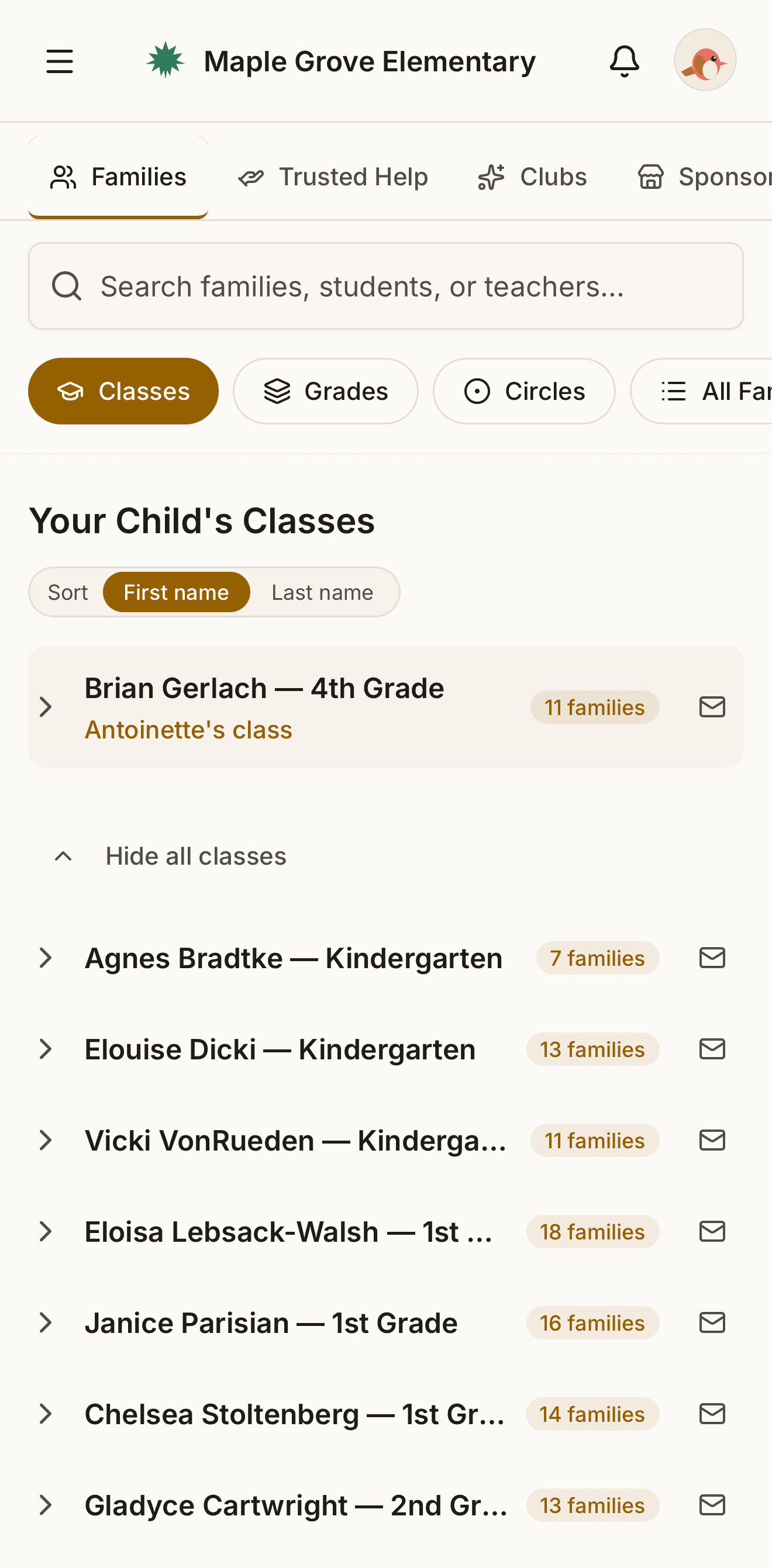
Open your Profile, find Your children, pick the grade, then pick the teacher. Palisades' teachers are already listed. Once the directory opens, you'll see the other families in that class who've done the same, and the list fills in as more families add their teacher.
Not sure of the teacher yet? Leave it blank and come back.
Questions? Email the PTO at ptopalisades@gmail.com and we'll get you sorted.
The part you'll actually use
Look up the family behind the name your student keeps mentioning. Sort out a ride. Put together a birthday invite list without a chain of texts hunting for the right phone number.
This is the plain, boring thing a directory is for, and at elementary school it's most of what you'll use it for. Roost's version is searchable, current, and on your phone, starting the day the PTO opens the directory.
Circles: your own private groups
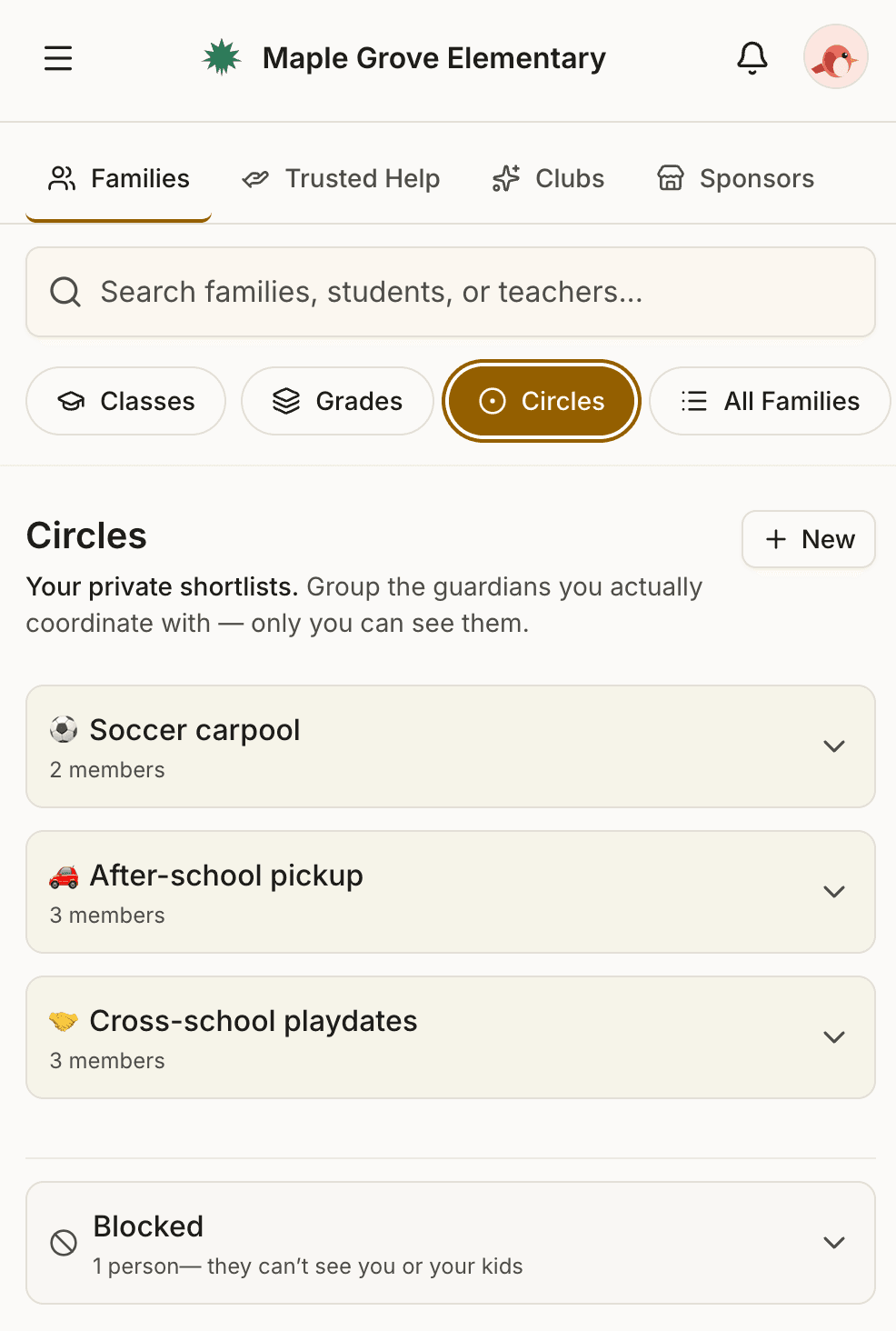
The soccer carpool. The room parents. The four families you actually plan weekends with.
You create the group, you choose who's in it, and nobody else at the school can see it or ask to join. A Circle isn't a school group with a sign-up sheet. It's your list, and it stays yours.
Fill the roles without the cold ask
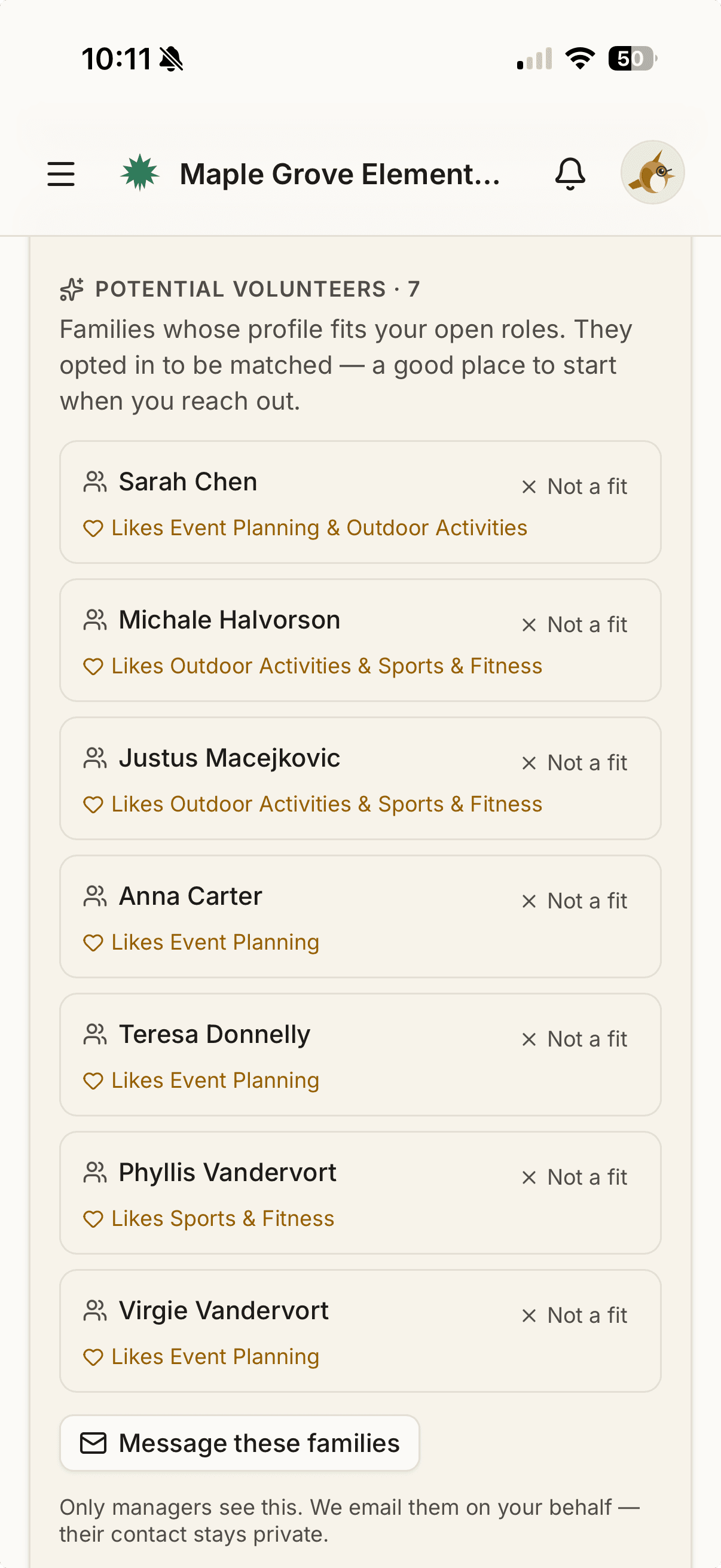
Tell Roost what you're interested in and roughly when you're free. As families fill that in, each committee lead sees the parents most likely to say yes for their open roles, and can reach them in a tap, without ever seeing anyone's contact information.
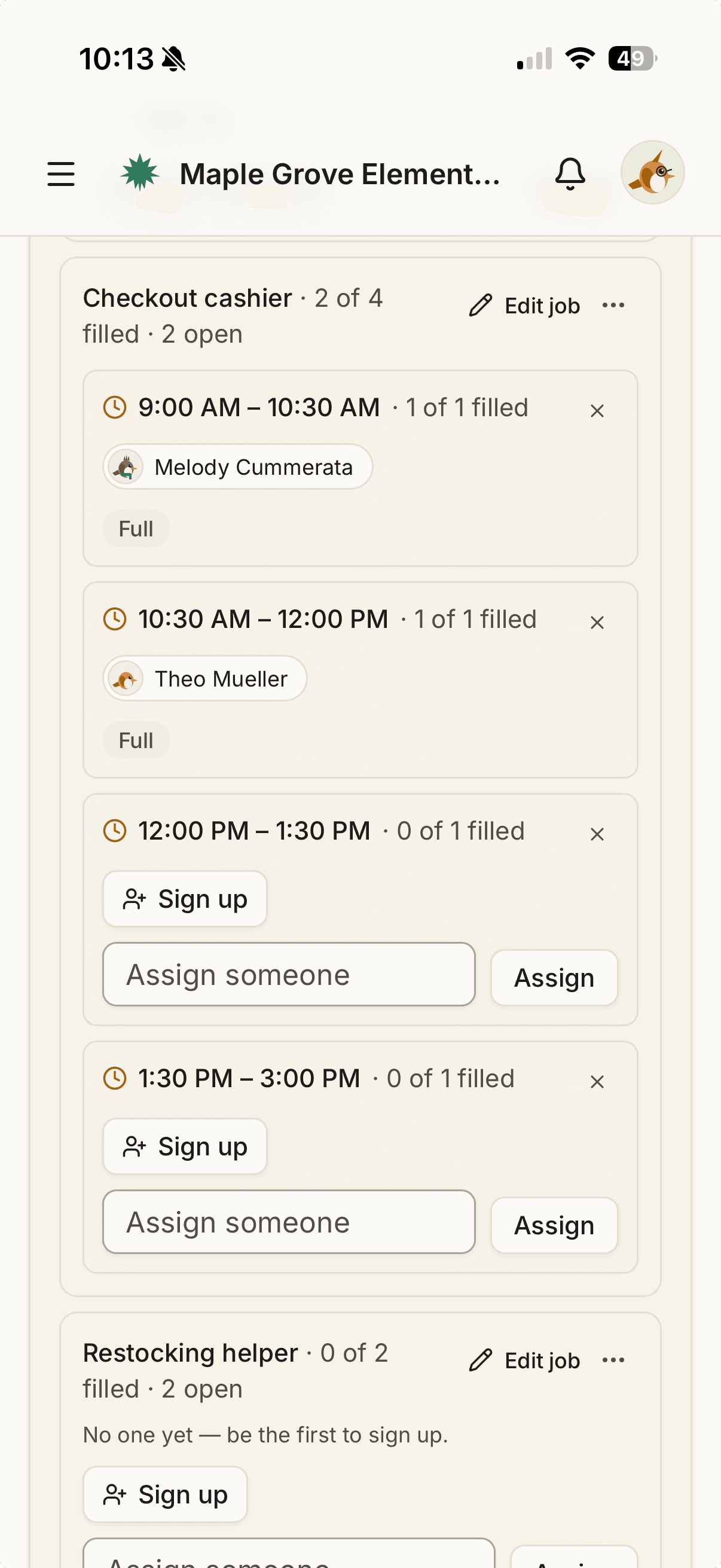
For events, jobs like setup, the bake sale table, and cleanup become time slots parents claim themselves. The sign-up sheet, minus the spreadsheet.
Trusted Help: sitters and tutors from our own district
Two ways to use it. Find help that other families recommend, or ask for help and let the right people come to you.
Find help
Babysitters, tutors, coaches, and mentors from inside the school community, recommended by parents you know rather than found on the internet.
It reaches beyond our building. Lake Oswego Middle School and Lake Oswego High School are both on Roost. Their students are the ones who actually babysit and tutor around here, and they can extend their listings to Palisades families, as can families at the other Lake Oswego elementary schools on Roost. Each one arrives with a badge showing which school it came from, so it's clearly a real family in your district.
Ask for help
Need a sitter for one Friday night, or a math tutor for the term? Post it on the Looking for help tab instead of waiting for the right listing to appear.
- Share it where the helpers are. When you post, you can also send your request to Lake Oswego Middle and Lake Oswego High, where the eighth graders and high schoolers who babysit and tutor are, and to the other Lake Oswego elementary schools on Roost. You pick which ones.
- Your name shows. Your contact details don't. When someone taps I can help, Roost emails you and you decide whether to write back. No phone number or address appears anywhere, and you never have to turn anyone down out loud.
- It comes down on its own. A request with a date disappears after that date. An open-ended one lasts a month. Found someone sooner? Tap Found someone.
Roost doesn't vet anyone. Every listing is posted by the family themselves or recommended by another parent, and anyone can answer a request. Treat each one like an introduction from a friend: meet, ask questions, trust your judgment.

One account, every school, every year
Nothing resets in August. Your account carries from kindergarten to first grade to fifth, with no re-registering and no re-entering the same phone number every fall.
A sibling at another Lake Oswego school that's on Roost is the same login too: one family, one password.
Your information, your call
When the directory opens, your family is included by default, with your address shown. You don't have to wait to change that: when you first sign in you'll accept the terms, and from there you control what's shared. Email, phone, and address each have their own switch. You can be visible to everyone at Palisades, only to families in your student's grade, or not listed at all.
Privacy is enforced at the database, not just in the app. Roost doesn't sell data, doesn't run ads, and doesn't share your information outside your school community.
Questions
Is this replacing ParentSquare?
No. ParentSquare is still where the school and your student's teacher communicate with you: attendance, announcements from the office. Roost is the parent-to-parent and PTO-to-parent side: the directory, volunteering, and community. The two work side by side.
Why can't I see other families yet?
Palisades is opening Roost in two steps. First every family checks their own information and chooses what to share. Then the PTO opens the directory and everyone appears, each the way they chose.
Why can't I find my student?
Sign in with the email address the school has on file, then add any child who's missing from your Profile, under Your children. If Roost doesn't recognize your email, try the other address your family uses with the school, or request access at the link above and an admin will add your family. Either way you only do it once.
Why doesn't my student have a class yet?
Add your student's teacher yourself from your Profile, under Your children. The class list fills in as more families do the same.
Can I ask for a sitter or tutor, not just browse?
Yes. Post on the Looking for help tab in Trusted Help. You can share your request with Lake Oswego Middle, Lake Oswego High, and the other Lake Oswego elementary schools on Roost, and your contact details are never shown.
Am I automatically listed?
Yes, once the PTO opens the directory. Until then nobody sees other families. You choose what's shared once you sign in, and you can hide individual fields or opt out of being listed entirely, before or after it opens.
I have kids at more than one school.
One Roost account covers your whole family. Each Lake Oswego school that uses Roost shows up under the same login.
Do I have to use the app?
No. Roost works in any browser at app.roost.directory. The app is just faster.
I signed in and it didn't recognize my email.
Try the other email address your family uses with the school. If you're still stuck, email the PTO at ptopalisades@gmail.com.
I have a question that isn't here.
Email the PTO at ptopalisades@gmail.com.