What you actually get.
Privacy is enforced at the database, not just in the UI. Every other feature follows from that: every kind of family supported, two taps to your kid's class roster, Circles only you can see, Clubs for the activity groups your school actually runs, broadcasts that don't leak email addresses, trusted help from inside your school community, sponsors your PTO sells and keeps 100% of, and a directory that grows with your family across every grade.
Jump to: Privacy controls · Every kind of family · Search · Circles · Shared circles · Clubs & committees · Volunteer matching · Broadcasts · Trusted Help · Sponsors · Every grade
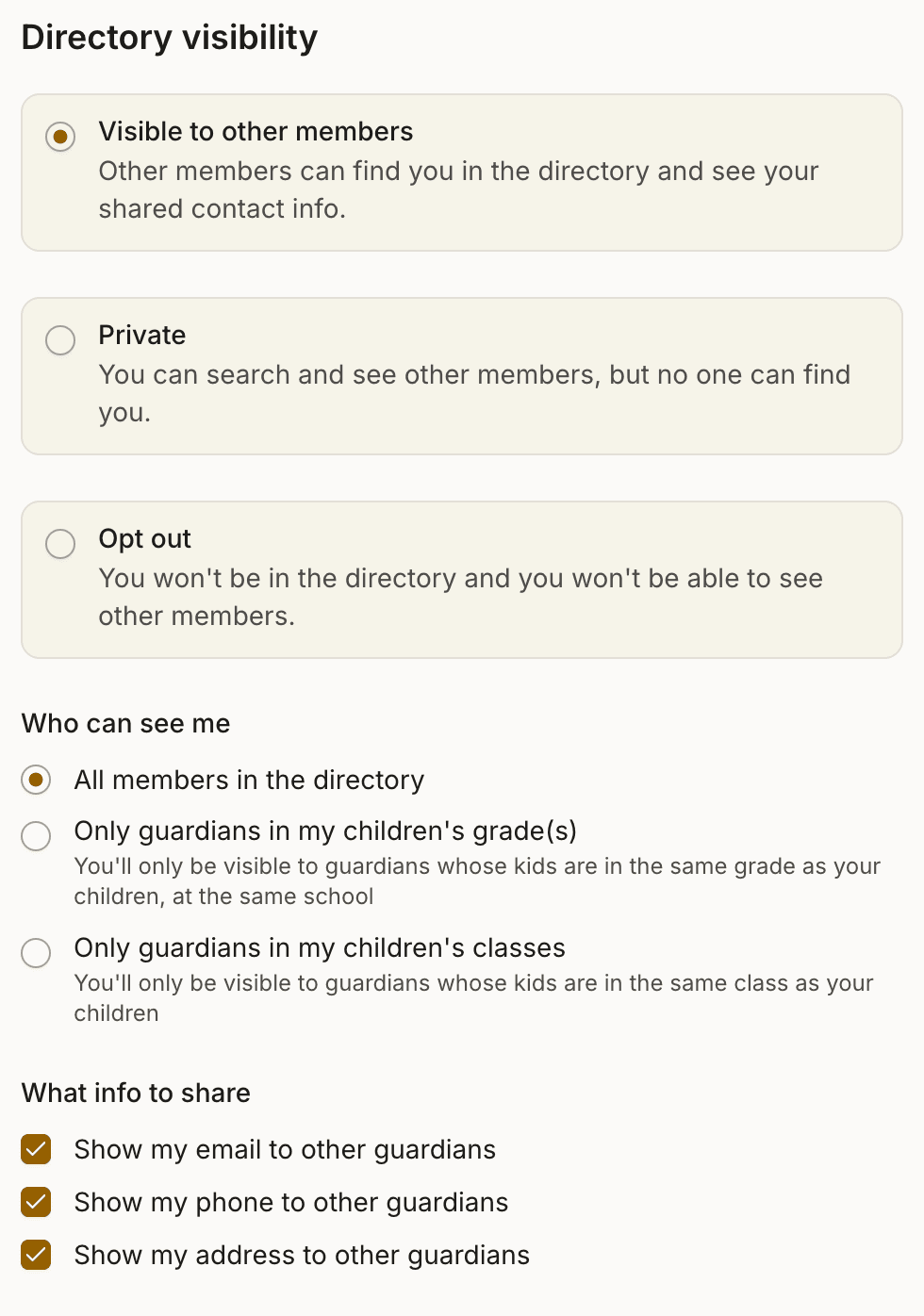
You control who sees you.
Three top-level choices for every family: Visible, Private, or Opt out. Pick Visible and you pick how widely: everyone at the school, only the grades your kids are in, or only their classes. Change any time.
Private means actually private. Hidden from class lists, grade lists, the All Families view. Search by other parents returns nothing. The share-your-email and share-your-phone toggles auto-uncheck because they're meaningless when no one can see you.
Make any of these changes from your phone, tablet, or laptop. Roost works the same everywhere. (DirectorySpot's mobile app is read-only; every update has to go through a desktop browser.)
Privacy is enforced at the database, not in the UI. A misconfigured permission can't leak information the database itself refuses to return.
Every kind of family.
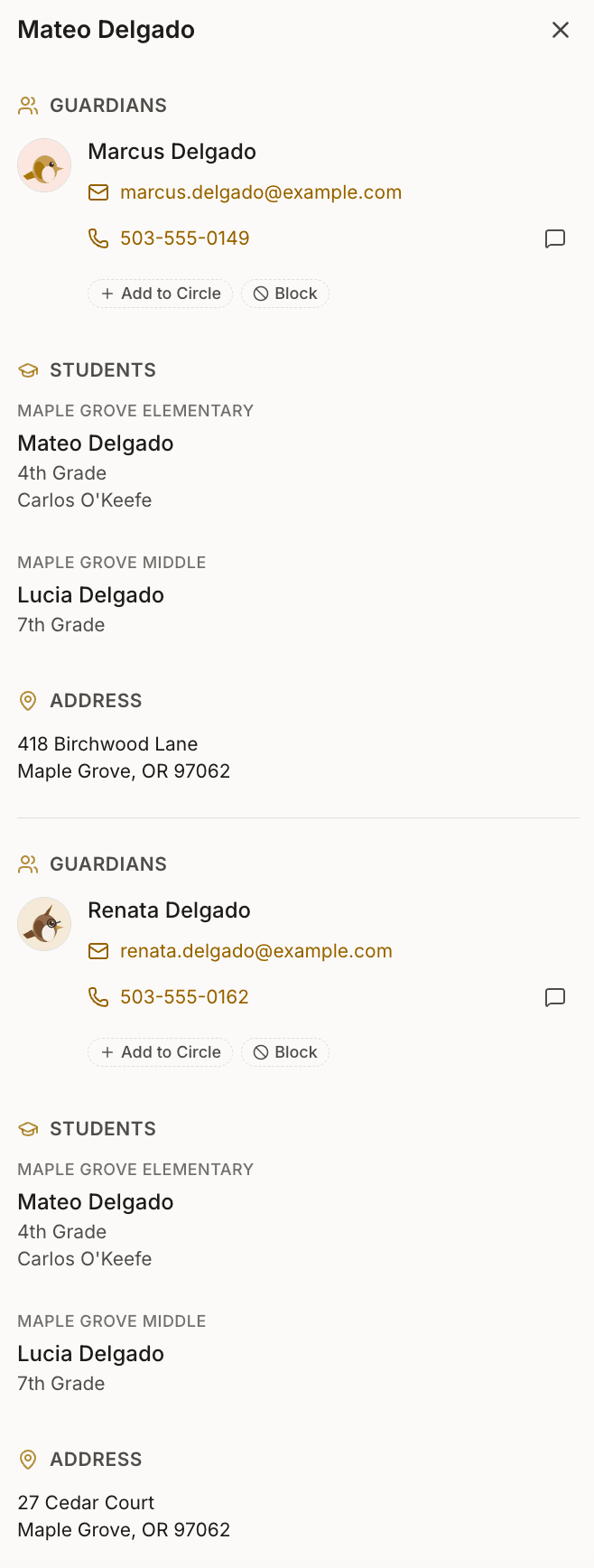
Stepparents, two moms, two dads, shared custody, grandparents raising grandkids, kids whose last names don't match their parents'. Each adult has their own account. Each kid links to as many guardians and households as their real life requires.
The directory shows the right contact information to the right people. No “Parent #2's info goes in a notes field that is not searchable.” No “the child is listed twice on the class roster.” Households grouped the way they actually are, the contact you're trying to reach surfaced where it belongs.
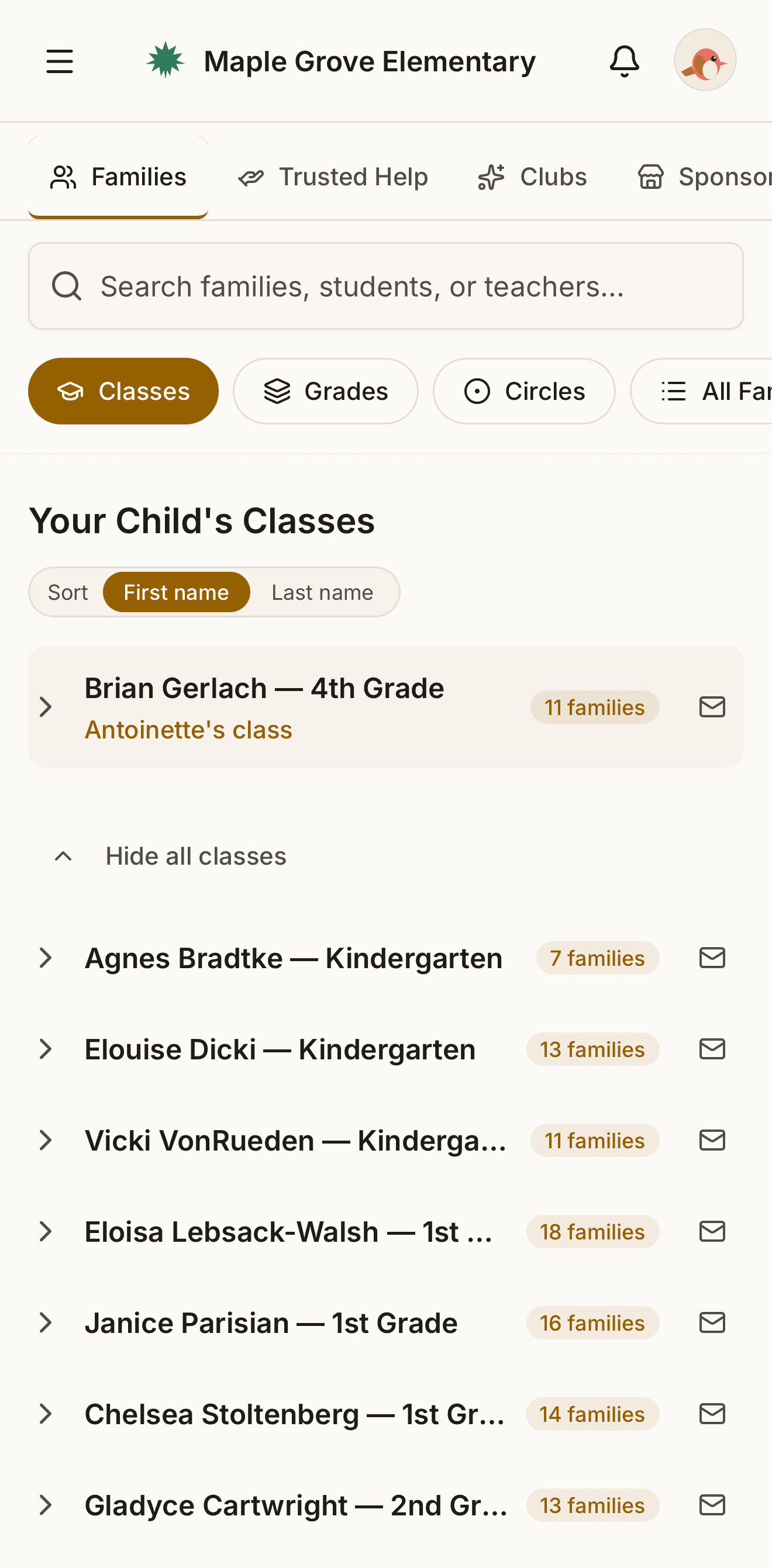
Two taps to your kid's class roster.
The first thing you see when you open Roost is your child's class, right at the top. One tap to the roster, one more to a parent's card. Same number of taps to message the teacher or email the whole class. The same trip in DirectorySpot runs several taps deeper.
Phonetic search across the whole directory. Type “Camdyn” and find Camden. Type “Westley” and find Wesley. One search box. One result list. No tabs to remember which is which.
Circles. Yours alone to see.
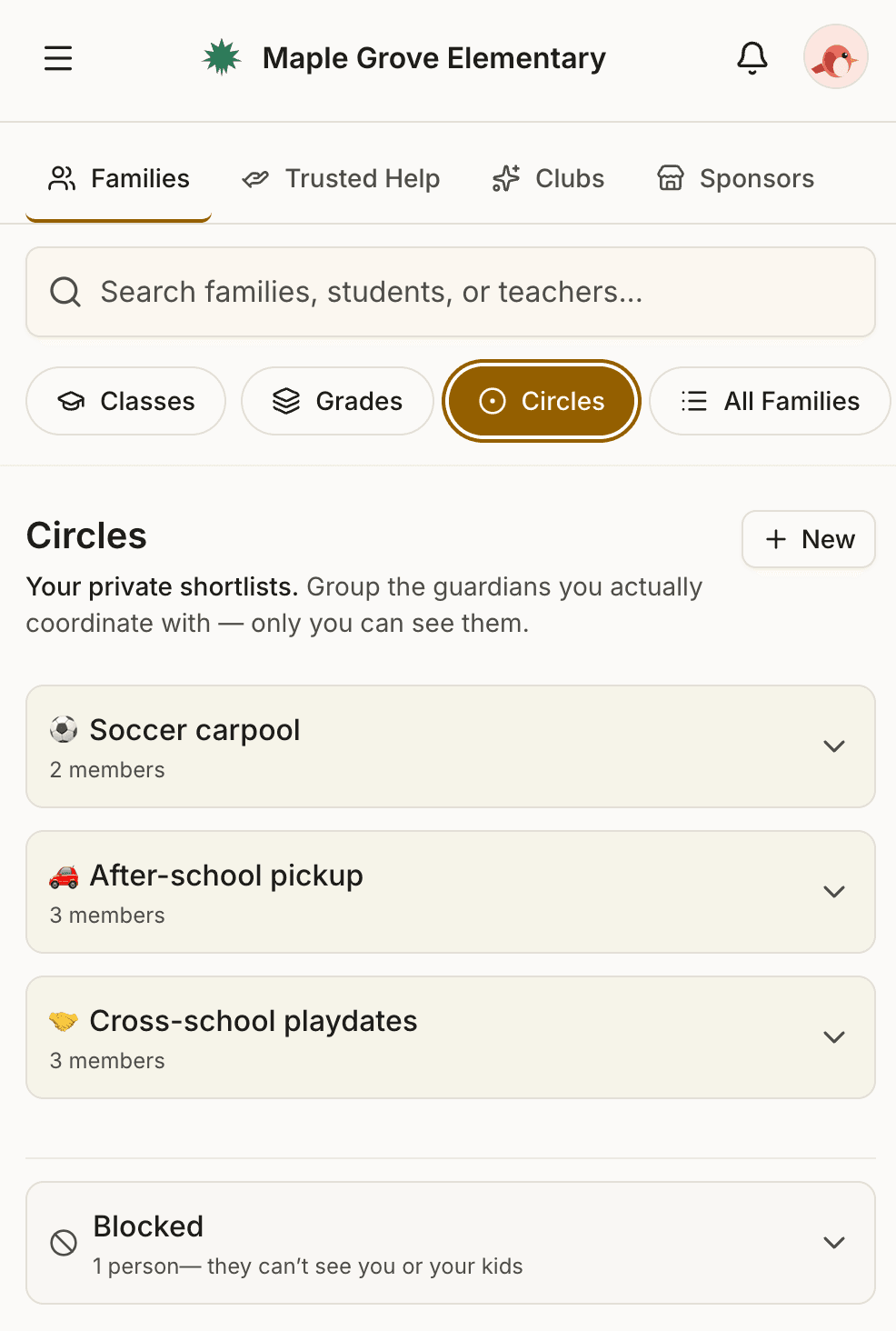
Personal contact groups only you can see. Soccer carpool, room parents, birthday party invitees, the neighborhood babysitter shortlist. Tap any family in the directory to add them to a Circle. Tap the Circle to email everyone in it with one click.
When someone in your Circle goes Private, they stay in your Circle. Your relationship doesn't disappear because of their privacy choice. Their contact details just follow their current settings.
Clubs. The activity groups your school actually runs.
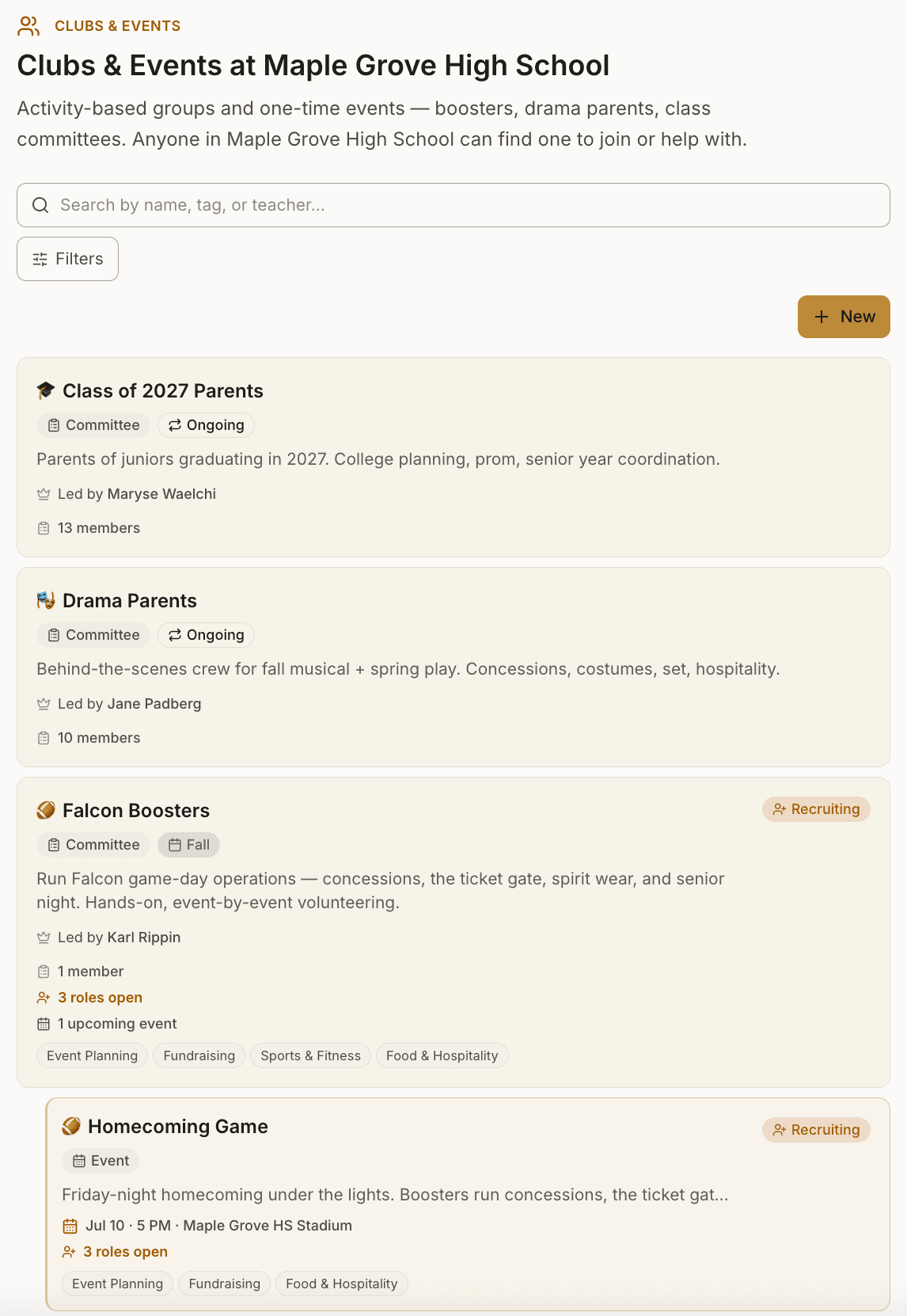
Football Boosters. Drama Parents. Class of 2027. Robotics Team. The groups that drive most of school life — and the ones that usually live in someone's WhatsApp, Facebook group, or a tangle of email threads, invisible to anyone who isn't already in.
Roost gives them a real home inside the directory you already trust. Anyone at the school can find a Club. Anyone at the school can join. The owner manages members and sends updates. Nothing happens off the platform you've already configured for privacy.
In elementary, the social unit is the classroom. In middle and high school, it's the Club. Roost models both — same opt-in mechanism, scaled to what matters at each stage.
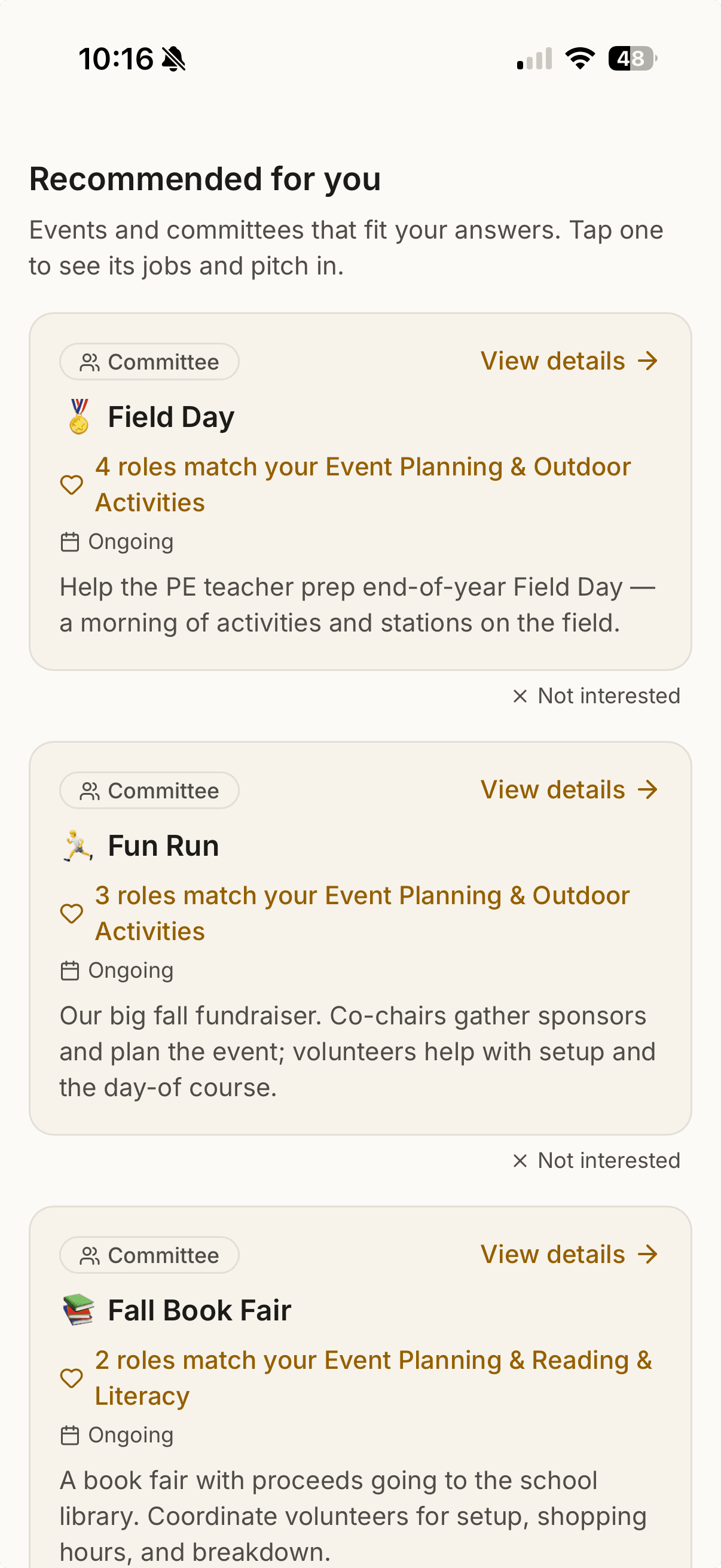
Clubs you join; committees you staff. A club leads with its members and a join button — the place you belong. A committee leads with the roles it needs filled and who's likely to fill them — the Book Fair, Field Day, the fall fundraiser. It's the same tab, filtered by All, Committees, or Clubs, so the work to be done and the groups to belong to sit side by side.
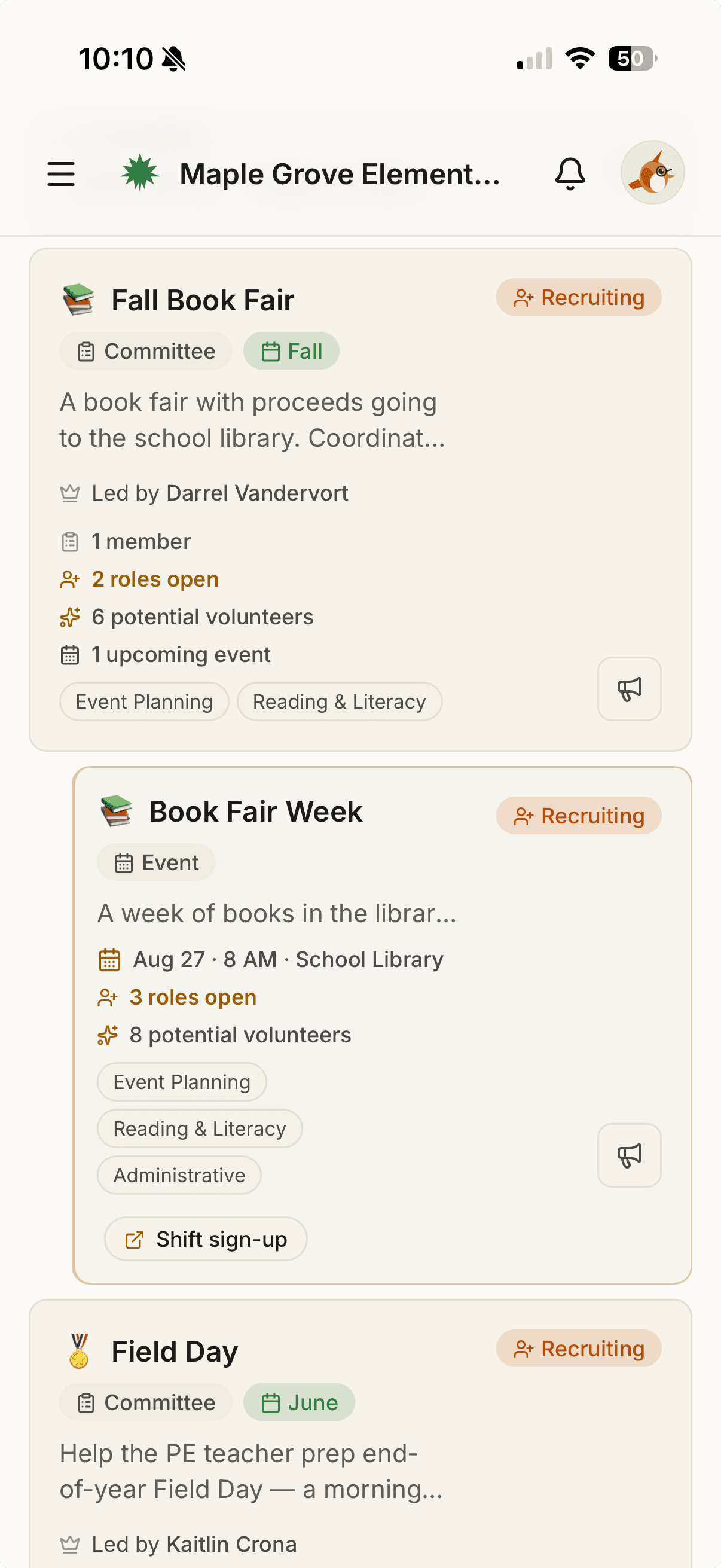
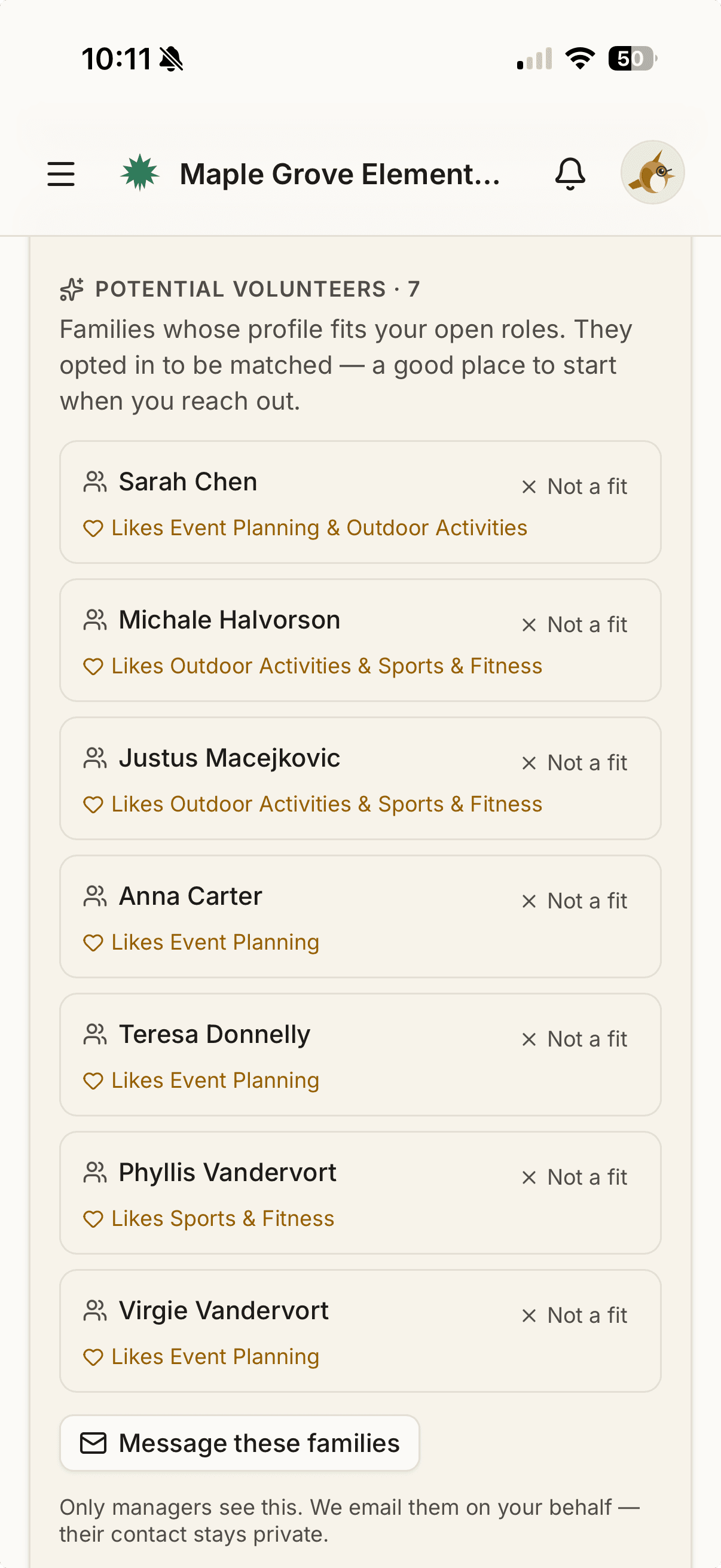
Find your volunteers without the cold ask.
Parents tell Roost, once and optionally, what they're into and how much they want to take on. As families opt in, organizers see the people most likely to say yes lined up next to each open role — and message them in one tap. Roost sends on the organizer's behalf, so contact info never changes hands.
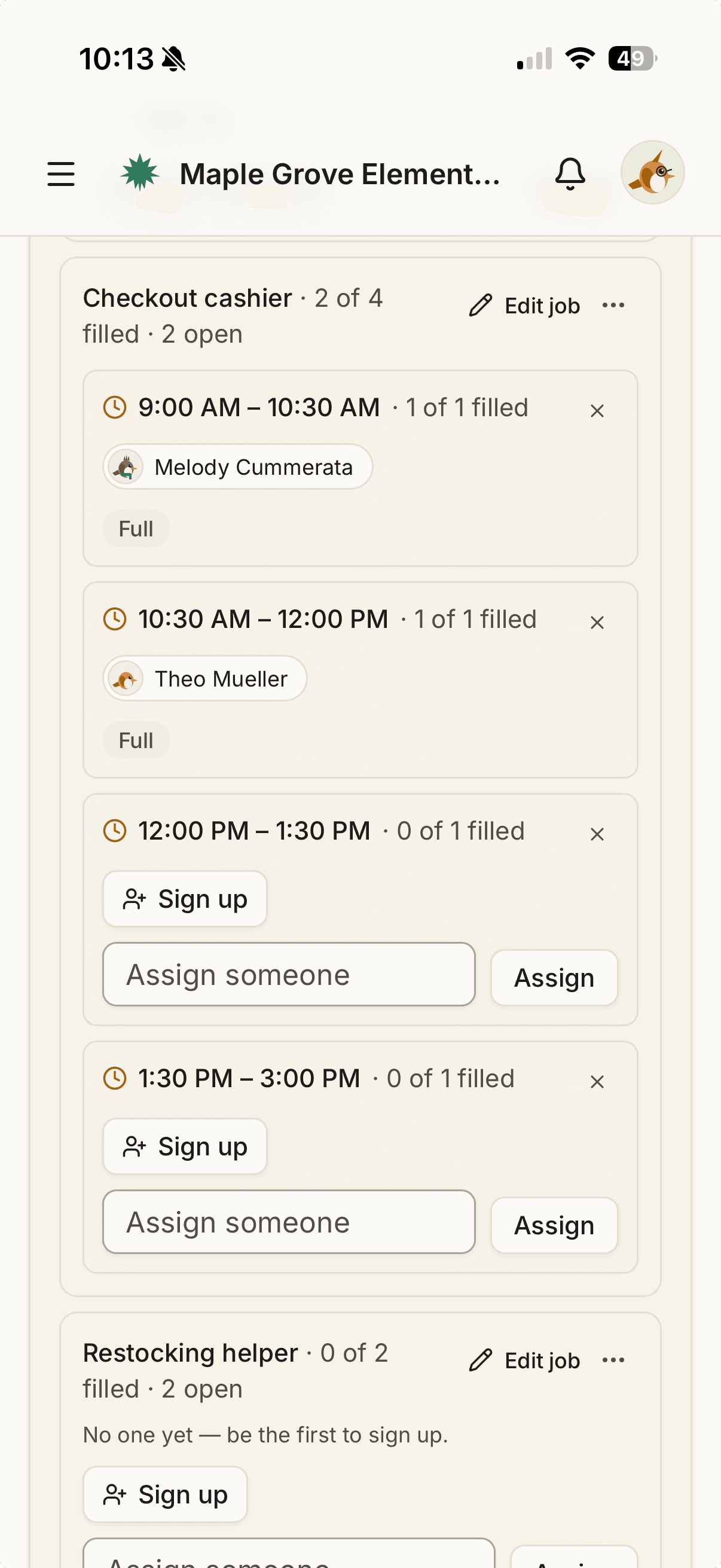
When it's time for the day-of, turn any job into time-slots parents claim themselves. The sign-up sheet and the volunteer search, both inside the directory you already trust.
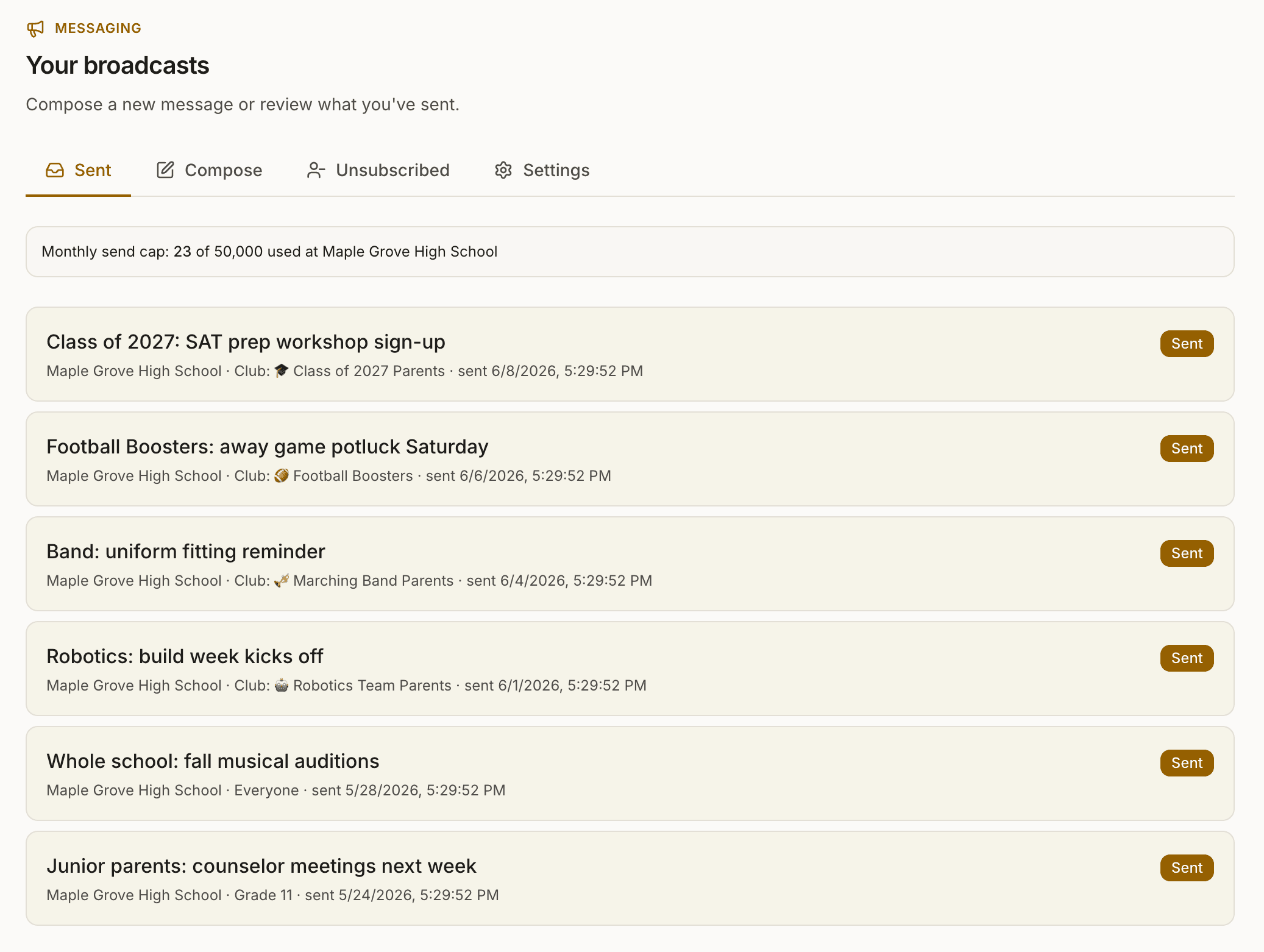
Broadcasts. PTO email without the spreadsheet.
PTO boards and Club owners send a lot of email. Field Day reminders. Auction announcements. Auditions. Sign-ups. Volunteer asks. All of it currently lives in someone's downloaded CSV, manually pasted into BCC, hoping no one's missed and no one's exposed.
Roost sends from your school's own address, to the audience you pick — whole school, one grade, one class, or just the members of a specific Club. Recipients are BCC'd. Replies route to the inbox you choose. Every email carries a one-click unsubscribe.
No exported list. No exposed addresses. No “I forgot someone.” It's email, sent through the directory's privacy model — not a notification spray. The kind parents actually read.
Compose now, schedule for later. Pick a date and time, and edit or cancel anytime before it sends.
Sending on behalf of your group? A room parent or committee lead can send under their own name, with replies coming back to them, without changing the school's defaults.
A newsletter is a broadcast too. Build the monthly one out of blocks, and point a volunteer section at an event so the open-spot counts are read when the email is built rather than when you typed them. See what a Roost newsletter looks like.
Worth being upfront about: broadcasts and the directory's visibility setting are separate switches. A family that chose Private still receives broadcasts from their PTO — that's how field-day reminders and snow-day notices stay reliable. Privacy controls who can find you in the directory; broadcasts go to every family the PTO is reaching. Each broadcast carries a one-click unsubscribe if a family wants out of those too.
Find or list trusted help.
Babysitters, tutors, coaches, and mentors — from inside your school community. The category is deliberately flexible: open it up to music teachers, language coaches, or whatever your school surfaces. Your school shapes what shows up here.
List yourself, list someone in your family, or recommend someone you trust. The high-school junior earning service hours coaching the rec-league soccer team can post once and reach the families who actually need them.
Built to reach the schools next door. A family can extend their own listing to specific nearby schools in the district — so as more of them join Roost, the elementary families a couple of neighborhoods over can find your sophomore who babysits. Only listings about you or your own child travel, the receiving school chooses whether to accept them, and each arrives with a badge showing the listing guardian's school. Recommendations you write about someone else stay at your own school.
Roost doesn't vet listings. Every entry is either self-submitted or recommended by another parent. Treat each one like an introduction from a friend: meet, ask questions, trust your judgment.

Sponsors that actually fund your PTO.
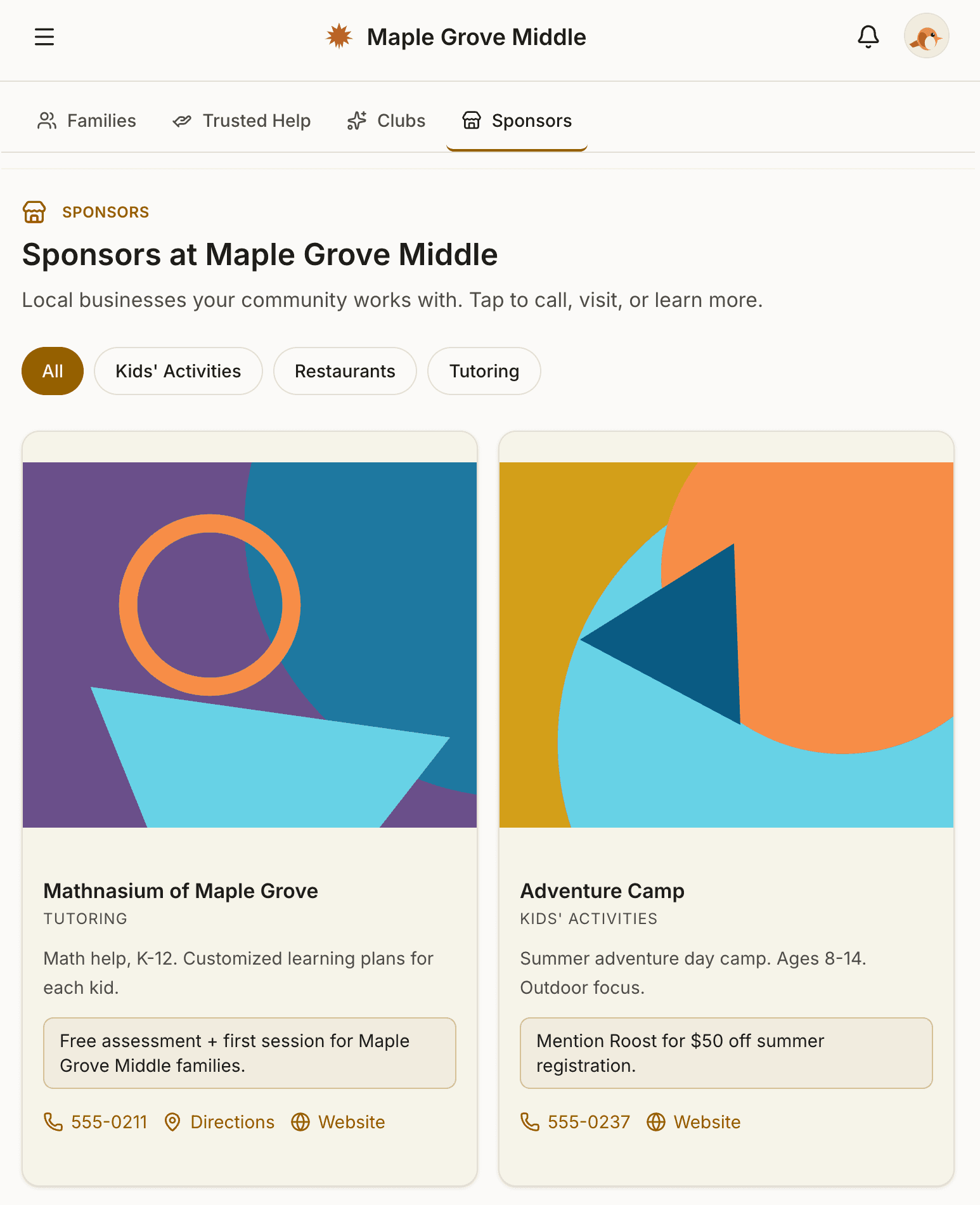
Your PTO sells sponsorships to local businesses — the dentist, the pizza place, the test-prep tutor — and keeps every dollar. Roost just displays them as cards on a Sponsors tab inside the directory. We take nothing. We don't process payments. We don't take a cut.
Each card has the things that actually matter: tap-to-call, tap-for-directions, tap-to-visit-their-website. Sponsors can include a promo offer (“Show this screen for 10% off,” “Family Night Friday — 10% to PTO”) that gives families a reason to actually use them. That's the ROI a sponsor needs to renew.
The Sponsors tab only appears when you have sponsors. No empty pages. The day your PTO closes the first sponsorship of the year, the tab shows up. Until then, the directory stays clean.
One directory, every grade.
What you need from a directory changes with your kid's age. Same account, same family — what you do with Roost grows with them.
- Carpools — to school, to sports, to driving practiceApplies to: Elementary, Middle, High
- PTO broadcasts — Field Day reminders, fundraiser asks, picture dayApplies to: Elementary, Middle, High
- Trusted Help — finding sitters, tutors, coaches, and mentorsApplies to: Elementary, Middle, High
- Sponsors — local-business cards your PTO sells (you keep 100%)Applies to: Elementary, Middle, High
- Volunteer matching — recommended committees and events that fit your time and interestsApplies to: Elementary, Middle, High
- Event and shift sign-ups (game-day concessions, book fair, setup)Applies to: Elementary, Middle, High
- Last-minute pickup helpApplies to: Elementary, Middle
- After-school activity coordinationApplies to: Elementary, Middle
- Birthday party invites and Halloween Boo BagsApplies to: Elementary
- Teacher gifts (room parents)Applies to: Elementary
- Clubs — sports boosters, drama parents, robotics, class committeesApplies to: Middle, High
- Committee roles and recruitingApplies to: Middle, High
- Targeted broadcasts to a Club (e.g. just Football Boosters)Applies to: Middle, High
- Group projects and study partnersApplies to: Middle, High
- Trusted Help — listing your kid as a sitter, tutor, coach, or mentorApplies to: Middle, High
- Study groups for SAT, ACT, and AP examsApplies to: High
- College prep and tutor findingApplies to: High
- Volunteer hours and service coordinationApplies to: High
- Internship and summer-job leads through the parent networkApplies to: High
applies·doesn't·E = Elementary M = Middle H = High
If you've got kids at more than one school, Roost already follows them. Post a Trusted Help listing once, and it's visible at every school you're part of. One account, every school, every year.
And it's built to reach across the district. A family can extend their own listing to specific nearby schools they choose — so as those schools come online, the high-school junior offering math tutoring reaches the elementary parents looking for exactly that, without anyone re-entering anything. Shared listings carry a badge showing the listing guardian's school, the receiving school chooses whether to accept them, and only your own family's listings ever travel.
I'm Jeremy. If you run a PTO, I'd genuinely like to hear how your directory works today.
Fifteen minutes, no pitch deck. We'll talk about what's working, what isn't, and whether Roost would help.
Or see these in a live demo, or see pricing.